VCF 9 gives us a few ways to deploy and manage the lifecycle of the environment.
The preferred option is, most certainly, connectivity to the online depot. Broadcom hosts this for its customers, but to access it, you need a valid support contract. That’s what ultimately provides the site ID under which you can generate a download token.
But what if that’s not possible? Say, you’re in a dark site. Or you’re in a home lab licensed with, say, the VMUG Advantage licensing rewarded with a VCP-VCF certification.
That’s where an offline depot is necessary. A secure web server is necessary, unless you modify your VCF Installer (formerly known as SDDC Manager) to use HTTP instead of HTTPS. This offline depot could be provided by any web server you can come up with. It could be Apache or nginx in a VM, or even a container. It could be your Synology NAS (now I have a reason to miss my Synology boxes – I just consolidated them into a single Dell R730XD running TrueNAS Scale). It doesn’t have to be fancy, but here’s my thing – it’s one more service in my lab to stand up and maintain.
But is there another option? Absolutely – VCF Installer itself. This is still a very manual configuration, but it’s fairly straightforward. You’ll still have to download the manifest, and all of the core VCF binaries from the Broadcom support portal. That’s the first step.
Once you have everything organized in the manifest’s directory structure, you need to transfer that to your VCF Installer appliance. I just put it in /nfs/vmware/vcf/nfs-mount/, since that file system has plenty of space. But this is not the final location – you’ve got to use the VCF Download Tool to put everything in the right place. We step you right through the extraction and placement of the VDT in the VCF9 Documentation
Once I had the PROD directory uploaded to /nfs/vmware/vcf/nfs-mount/, and the VDR installed in /opt/vmware/vcf/lcm/vcf-download, I had to install the binaries.
root@sddcm01 [ /opt/vmware/vcf/lcm/vcf-download/bin ]# ./vcf-download-tool binaries upload --depot-store /nfs/vmware/vcf/nfs-mount/ --sddc-manager-fqdn sddcm01.krueger.lab --sddc-manager-user admin@local
One heck of a command line. And the output is pretty verbose.
*********Welcome to VMware Cloud Foundation Download Tool***********

SDDC Manager certificate:
Certificate:
    Data:
        Version: 3 (0x2)
        Serial Number:
.
.
.
Please confirm this is the right SDDC manager certificate. Y/N y
keytool error: java.lang.Exception: Alias <sddcm01.krueger.lab> does not exist
.
.
.
Trust this certificate? [no]:  yes
Certificate was added to keystore
Version: 9.0.0.0.24703747
Enter password for admin@local:
Validating SDDC Manager credentials.
SDDC Manager credentials validated successfully.
Validating SDDC Manager version.
SDDC Manager version validated successfully.
Uploading vSAN HCL file.
Successfully uploaded vSAN HCL file.
Uploading compatibility data.
Successfully uploaded compatibility data.
Uploading unified release manifest file.
Successfully uploaded unified release manifest file.
Uploading product version catalog file.
Successfully uploaded product version catalog file.
-------------------------------------------------------------------------------------------------------------------------------------------------------------------------
ID                                   | Component           | Component Full Name                                 | Version          | Release Date | Size       | Type
-------------------------------------------------------------------------------------------------------------------------------------------------------------------------
53fd7968-d10e-556d-a8fa-3a804d010a03 | ESX_HOST            | VMware ESX                                          | 9.0.0.0.24755229 | 06/17/2025   |  621.5 MiB | PATCH
4c209b46-cc8a-5604-978f-70d8dc1014d3 | VRSLCM              | VMware Cloud Foundation Operations fleet management | 9.0.0.0.24695816 | 06/17/2025   |    1.5 GiB | INSTALL
28ca23b6-4688-53ae-af9c-ae1d4d50d9f1 | VROPS               | VMware Cloud Foundation Operations                  | 9.0.0.0.24695812 | 06/17/2025   |    2.6 GiB | INSTALL
244dcbc0-d592-540c-893a-95eb07877a23 | VRA                 | VMware Cloud Foundation Automation                  | 9.0.0.0.24701403 | 06/17/2025   |   21.2 GiB | INSTALL
0d842757-c7a6-55a5-a73d-9d07eb4d1269 | VRA                 | VMware Cloud Foundation Automation                  | 9.0.0.0.24701403 | 06/17/2025   |   21.2 GiB | PATCH
c90008b8-3e0d-5556-a264-3cfdb4367286 | VCENTER             | VMware vCenter                                      | 9.0.0.0.24755230 | 06/17/2025   |   12.0 GiB | INSTALL
22f49cc3-357f-5d2d-94ad-bf78ed7c0996 | VCF_OPS_CLOUD_PROXY | VMware Cloud Foundation Operations Collector        | 9.0.0.0.24695833 | 06/17/2025   |    2.7 GiB | INSTALL
4c87b25f-d6d1-57bd-946e-ab39fd9004b3 | SDDC_MANAGER_VCF    | SDDC Manager                                        | 9.0.0.0.24703748 | 06/17/2025   |    2.0 GiB | INSTALL
094257b5-5b54-5199-9ebb-562c59a1f47a | NSX_T_MANAGER       | VMware NSX                                          | 9.0.0.0.24733063 | 06/17/2025   |   10.0 GiB | INSTALL
-------------------------------------------------------------------------------------------------------------------------------------------------------------------------
9 elements

<PROGRESS NOTICIFATIONS>

Cleaning binary files from /nfs/vmware/vcf/nfs-mount/ after successful upload.
Finished cleaning binary files from /nfs/vmware/vcf/nfs-mount/ after successful upload.
Binary Upload Summary:
-------------------------------------------------------------------------------------------------------------------
Component           | Component Full Name                                 | Version          | Image Type | Status
-------------------------------------------------------------------------------------------------------------------
ESX_HOST            | VMware ESX                                          | 9.0.0.0.24755229 | PATCH      | SUCCESS
VRSLCM              | VMware Cloud Foundation Operations fleet management | 9.0.0.0.24695816 | INSTALL    | SUCCESS
VROPS               | VMware Cloud Foundation Operations                  | 9.0.0.0.24695812 | INSTALL    | SUCCESS
VRA                 | VMware Cloud Foundation Automation                  | 9.0.0.0.24701403 | INSTALL    | SUCCESS
VRA                 | VMware Cloud Foundation Automation                  | 9.0.0.0.24701403 | PATCH      | SUCCESS
VCENTER             | VMware vCenter                                      | 9.0.0.0.24755230 | INSTALL    | SUCCESS
VCF_OPS_CLOUD_PROXY | VMware Cloud Foundation Operations Collector        | 9.0.0.0.24695833 | INSTALL    | SUCCESS
SDDC_MANAGER_VCF    | SDDC Manager                                        | 9.0.0.0.24703748 | INSTALL    | SUCCESS
NSX_T_MANAGER       | VMware NSX                                          | 9.0.0.0.24733063 | INSTALL    | SUCCESS
-------------------------------------------------------------------------------------------------------------------
9 SUCCESS | 0 NOT_REQUIRED | 0 FAILED
-------------------------------------------------------------------------------------------------------------------

Log file: /opt/vmware/vcf/lcm/vcf-download/log/vdt.log

root@sddcm01 [ /opt/vmware/vcf/lcm/vcf-download/bin ]#
You’ve got to validate the certificate, and you can see the keytool error because my cert is self signed – I was presented the opportunity to install it into the keystore. Then the VDT tells you what it will install and just starts copying data where it’s supposed to be. You’ll get a status update on the screen as things progress, and when it’s done, it will clean up all of the source files.
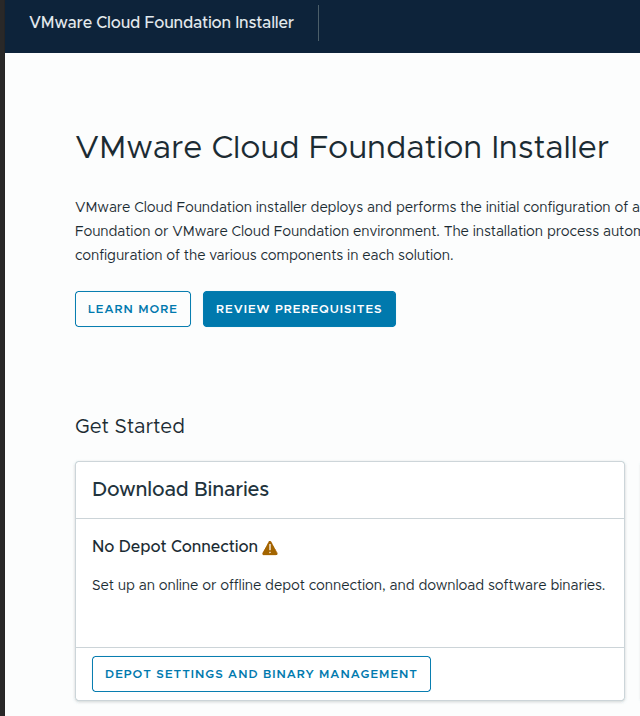
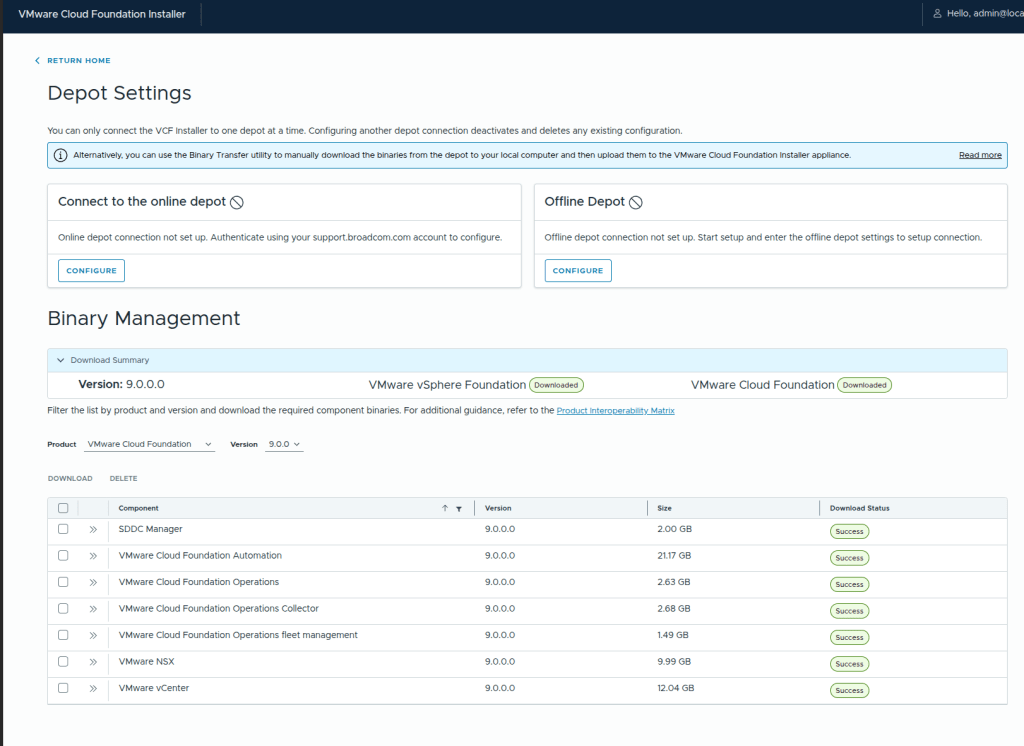
Then, you can go back to the VCF Installer, and click on Depot Settings and Binary Management to validate that the installer sees what you just did.
You should see, under Binary Management, something like this, with the core VCF components successfully uploaded.
From here, you can go back and kick off the VCF Installation and proceed with your deployment.
 VirtualKrueger
Great article thank you ! BUT what isn’t clear is this :
You’ll still have to download the manifest “, What exactly is this and where should it be placed ? Is it a file and filename ?
Thank you
LikeLike
The manifest file would be downloaded from the Broadcom Support Portal – it’s with the VMware Cloud Foundation Installer group. The download is labeled “VCF Offline Depot Metadata”, and will be put in the root of your source directory for the VCF download tool – in my post, it would be extracted to /nfs/vmware/vcf/nfs-mount. That provides the manifest file and the directory structure in which you’ll place the individual binaries for the components.
LikeLike